Why your filled-in PDF form comes back blank
The boxes are still there and nothing is in them. A form lives at the document level, and most edits rebuild the document.
You send a form out, somebody fills it in, and it comes back with every box empty. Or worse: you fill one in yourself, merge it with a cover letter, and your own answers are missing from the merged file. The boxes are still there. They still look exactly like form fields. They are simply not fields any more, and nothing told you. Filled PDF forms come back blank because of where a form lives inside the file, and it is not where you would think.
A form is not part of the page
An AcroForm — the interactive form machinery in a PDF — is a document-level structure. One table, hanging off the document catalogue, listing every field in the file: its name, its type, its current value. The page carries only widget annotations: small rectangles that say "draw a box here, and the thing that belongs in it lives over there, in the table." The field and its appearance are two different objects in two different parts of the file, joined by a reference.
Which works fine right up until something breaks that reference. The page does not own its fields. Pull a page out of the document and you have taken the rectangles and left the form behind.
What a rebuild does to it
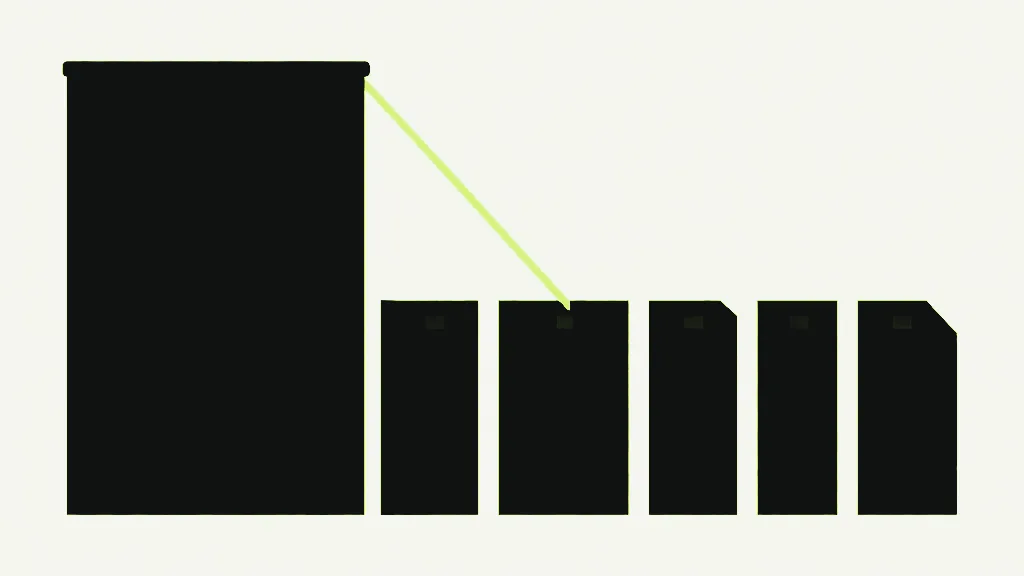
Rebuilding is what most page tools genuinely do. Merging, splitting, deleting a page, extracting pages, reordering — every one of them creates a brand new empty PDF and copies the pages you asked for into it. That is the natural way to express the operation, and it produces exactly the right pages. But the new document is new. It has no form table, because nobody copied one, and there is no page-level operation that could. The widget annotations come across with their pages, because they belong to pages. The form does not, because it never did.
The result is a document where the boxes are still drawn and there is nothing behind them. Click one. Nothing happens. It is not disabled and it is not locked — it is a picture of a box.

How many form fields survive a merge?
Measuring this beats arguing about it. I built a four-page PDF with four fields — two text fields, a checkbox and a dropdown, all carrying values — plus four bookmarks, a document title and an author, then ran it through every tool on this site that touches pages and read each output back:
- Merge: four pages in, four out. Form fields 4 to 0. Bookmarks 4 to 0. Title and author both gone. Widget annotations: still 4.
- Extract pages one and two: fields 4 to 0, bookmarks 4 to 0, title and author gone. Three widget annotations survive, sitting on two pages that no longer have a form behind them.
- Delete a page, split, organize: identical every time. Fields 0, bookmarks 0, title and author gone, widgets intact.
- Rotate: form fields 4 to 4. Bookmarks 4 to 4. Title and author intact. Every value still readable, right down to the name still sitting in the name field.
Rotate is the odd one out because rotate does not rebuild anything. Rotate opens the document, sets a number on some pages, and saves that same document back out. Nothing is copied, so nothing can be dropped. That contrast is the whole mechanism in one line: rotating mutates the file in place, and everything else reconstructs it from the pages up.

Bookmarks disappear down exactly the same hole, and it is worth naming, because people notice the dead form and blame the tool, then notice the missing bookmarks a fortnight later and blame something else entirely. Outlines hang off the document catalogue in precisely the way the form table does. Merge a 300-page report and every bookmark in it is gone, silently, for one structural reason.
Why nobody simply fixes it
Copying a form table across is harder than it sounds, and doing it badly is worse than not doing it. Field names have to be unique within a document — merge two copies of the same form and you have two fields with the same name, which the format says is one field with one value. Type into one and the other changes underneath you. Fields nest into hierarchies, share appearance streams, and carry JavaScript actions and calculation orders that reference fields you did not copy. A merge that half-restores a form hands you a document that looks fillable and behaves wrongly, and that is far harder to catch than a document which is obviously inert.
So the tools here do the blunt thing and drop it, and this article exists in place of a claim that your form survives.
The naming collision is the part with no good answer available. Two copies of the same form, merged, give you two fields with one name, and the format is clear that one name means one field with one value — so a tool has to either fuse two people's answers into one box or rename the fields, and renaming breaks every downstream system that reads a form by field name. Any tool claiming to merge filled forms losslessly has quietly picked one of those, and it is worth finding out which before you trust it with a hundred returned questionnaires.
The fix is to make the values part of the page
Flattening solves this properly, and it has to happen before the rebuild rather than after it. Flattening walks the form table, draws each field's current value into the page content as ordinary text, and removes the field. Afterwards the value is not stored in a document-level table at all — it is page content, and page content is exactly what copying a page copies.
I verified the whole route rather than assuming it. In the source document the page's text content reads "Static body text" and nothing else: the value "Jane Doe" is not in the page, it is in the field, which is precisely why it does not survive. Flatten with Flatten PDF in "Form fields only" mode and the page text becomes "Static body text | Jane Doe" — the value has moved into the page. Merge that, and it still reads "Static body text | Jane Doe" on the far side. The values survive because by then there is nothing left to lose.
The price is that the form stops being a form. Nobody can change the answers afterwards, including you — which is frequently the entire point when you are passing a completed form onwards, and useless when it is not. Flattening a blank form gives you a blank form nobody can fill in, which is nobody's goal. Fill it in first; filling forms is its own job, with its own tool.

Why does a filled-in PDF form come back blank?
- Form fields live at document level. Pages carry only the boxes that point at them.
- Merge, split, delete, extract and organize all build a new document. The boxes come across, the form does not, and your values go with it.
- Rotate is the exception, because it edits the file in place instead of rebuilding it. Fields, bookmarks, title and author all survive a rotate.
- Bookmarks vanish through the same hole, and so do the document title and author — which has consequences of its own.
- Fill the form, flatten it in "Form fields only" mode, then reorganise. In that order, and not another one.