A black box over text is not redaction
A rectangle drawn over text leaves the text in the file, still selectable. Real redaction re-renders the marked page to an image so the words are gone.
A black rectangle drawn over text does not remove the text. It covers it on screen and leaves it in the file — still selectable, still copyable, still turned up by search and by any tool that reads the page. This is the single most common way sensitive information leaks out of a PDF, and it happens precisely because the cover-up looks so convincing. The words are right there under the box; the box is just paint on a separate layer.
This is the same trap as cropping something out before sharing: the content is hidden from view, not deleted from the document. A crop moves the visible frame inward and leaves the trimmed area in the file. A black box sits on top and leaves the text beneath it. In both cases the reader sees nothing, and anyone who opens the file properly sees everything.
Why the box and the text stay separate
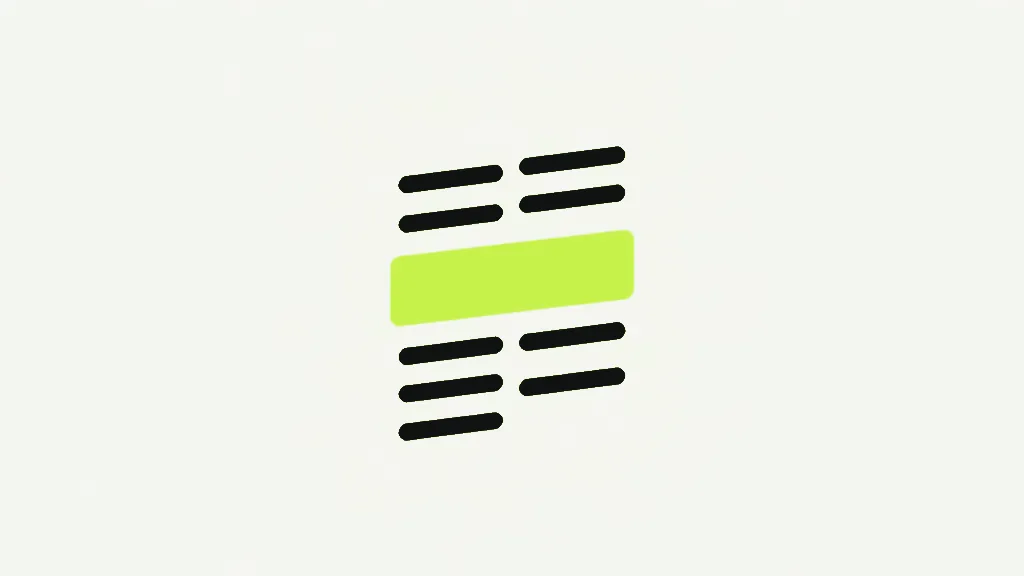
A PDF page is a list of drawing instructions, played in order. "Draw these characters here" happens, and then "fill this rectangle with black" happens after it. The second instruction paints over the first on screen, but it does not delete it from the list — both are still in the page. Selection, copy and search all read the character instructions directly and never consult the pixels, so they walk straight under the rectangle as if it were not there. To genuinely remove the words, the character instructions themselves have to not exist in the output. Painting over them cannot achieve that, because painting is just one more instruction added to the end.
How real redaction has to work in a browser
True redaction removes the instructions, and the only safe way to do that client-side is to stop treating the marked page as instructions at all. Our redact tool re-renders any page you mark to a flat image at roughly 144 DPI, paints opaque black — fully solid, no transparency — over your marks in that image, and puts the image into the output in place of the page. The original page's content stream, every character and vector on it, is never copied across. There is no instruction list left to read, so there is nothing under the black to select, copy or recover. The block is now part of the picture, not a layer on top of it.
This step is deliberately isolated from all the rendering code so it can be asserted directly in a test: for a marked page it builds a fresh page carrying only the flattened image, and the source page has no path into the result. That is the difference between "we drew a box" and "the words are gone" — and it is the difference you cannot verify by looking, because both produce a page with a black rectangle on it. One of them still contains your data.
The trade-off, stated plainly
Because a redacted page becomes a picture, ALL of its text stops being selectable — not just the part you covered. This is unavoidable: the only way to guarantee the hidden words are gone is to throw away the instruction list for the whole page, and the rest of that page's real text goes with it. A redacted page is a raster image now, with everything that implies — soft when enlarged, larger in bytes, and no longer searchable. That is why a scan has no selectable text too, and a redacted page has become, in effect, a scan of itself.
The tool only flattens the pages you actually mark. A 40-page report with two redactions loses selectable text on two pages, not forty — every unmarked page is copied across intact and keeps its real, searchable text. So mark what you must and no more, and expect the marked pages to behave like images afterwards.
If your goal was not secrecy but simply to stop a filled form being changed, you do not want redaction at all — you want Flatten PDF, which locks the values into the page while keeping the text real and selectable. Redaction is the heavier tool, and it earns its weight only when the words genuinely have to be unrecoverable.
How to check a redaction actually worked
Redaction is not the whole document
Redaction removes text and vectors from the pages you mark, and nothing else — which means it is not, on its own, enough to make a document safe to publish. A PDF can still carry your sensitive information in places redaction never touches: its metadata, where the author's name and the original filename often sit, and files embedded inside it. Blacking out a name on page three does nothing about the same name in the document title or in an attached spreadsheet. Treat redaction as one step of the job, and clearing the metadata and checking for attachments as two more.
It is worth being exact about what "cannot be recovered" rests on, because it is a strong claim and strong claims deserve their footing. The guarantee comes from the marked page being rebuilt as a fresh page containing only the flattened image — the original page object, with its text and vectors, is never copied into the output at all. There is no hidden layer, no clever compositing, nothing switched to invisible: the words are simply not present in the new file, in the same way a photograph of a shredded document does not contain the document.
This also explains why redaction cannot be undone, and why you should redact a copy. Once the marked page is an image, its original text is gone from that file for good — which is the point, but it means a redaction you got wrong (covered the wrong line, missed a name in the corner) cannot be nudged back. You return to the original, mark again, and export fresh. Keep the source document somewhere safe until you have checked the redacted one, because the same finality that makes redaction trustworthy is exactly what makes it unforgiving. The safety lives in the one-way door; just be sure you walked through it deliberately, on a copy, with the original still on hand.
Redact PDFBlack out sensitive text or images and truly remove them.- Open the finished PDF and try to select the redacted line. If your cursor highlights anything under the block, it was a drawn box, not a redaction.
- Run a search for a word you redacted. A real redaction returns nothing; a cover-up finds it.
- A properly redacted page will not let you select ANY of its text, because the whole page is now an image. That loss is the proof the removal was real.
- Never trust the on-screen appearance alone — a box looks the same whether the data under it is gone or merely hidden.