Is iLovePDF safe? What its own policy says
For everyday files, yes. iLovePDF is a Barcelona company that uploads your PDF to its servers, says it deletes it within two hours and never uses it to train AI. For a tax return or an ID scan, the upload itself is the risk.
iLovePDF is a legitimate company with ordinary, published safeguards, and nothing in this article accuses it of misusing anyone's files. The honest question is narrower. Every task on its website sends your document to its servers. Whether that is safe depends on what the document is.
Is it risky to use iLovePDF?
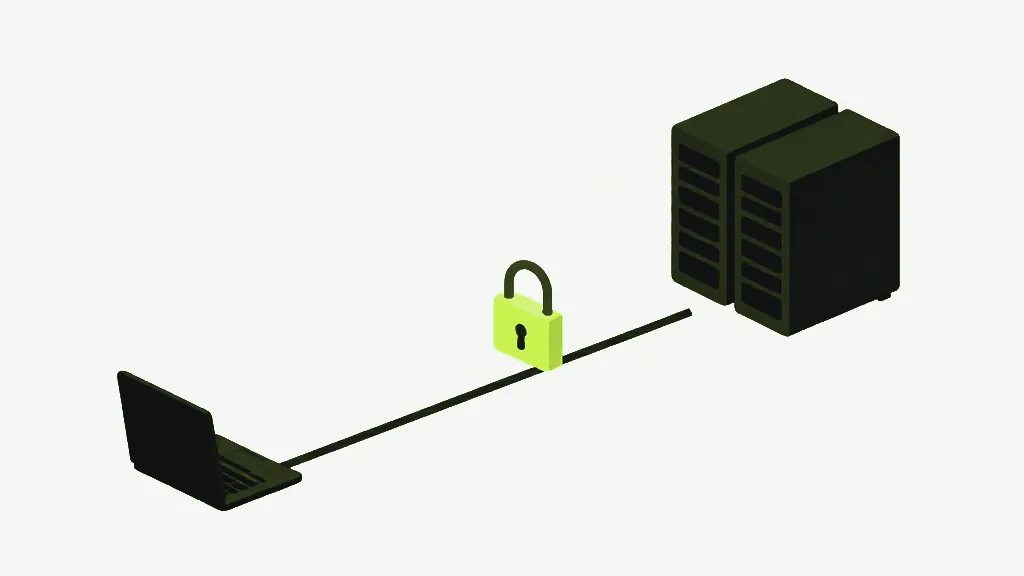
For a menu, a school worksheet or a public form, the risk is small. For a tax return, a medical letter or a passport scan, the risk is the upload itself. Once the file reaches a server, you are relying on promises about what happens there, and you cannot check them from your side. That is true of every upload-based tool, iLovePDF included. The general case is laid out here.
What iLovePDF says it does with your file
These come from iLovePDF's own pages: its privacy policy (last revised 19 February 2026), its security page, and its pricing page, all read on 16 October 2026.
- Deletion. The privacy policy says files are deleted within two hours of being processed. The security page adds that you can delete them yourself from the download screen sooner.
- Use of content. The policy says the company will not access, analyse or index your content beyond running the task, and does not use it to train its own AI models or anyone else's.
- Transport and certification. The security page says files travel over HTTPS and that the company holds ISO/IEC 27001 certification.
- Location. The policy says personal data is processed inside the European Economic Area by default, but that users outside it may be served from regions closer to them.
- Signing is the exception. The two-hour rule excludes its signing service, and the security page says signed documents can be kept for up to five years for legal reasons.
Two details most summaries skip. First, "European servers" is the default, not a guarantee for everyone: the policy itself allows processing closer to users outside the EEA. Second, a document you sign there is not covered by the two-hour deletion at all.
Which country is iLovePDF from, and who runs it?
Spain. The privacy policy names the data controller as ILOVEPDF, S.L., with a registered office in Barcelona, and says the company complies with the GDPR. That gives you enforceable rights over your data under EU law. It is a legal remedy after the fact, though, not a technical barrier that stops a copy existing.
How does iLovePDF make money?
Subscriptions, with ads on the free tier. Its pricing page shows the free plan without ad-free service and with per-task limits on file size and batch size. Premium removes the ads and lifts the limits, and Business is priced on request. The security page says it does not sell your data to third parties.
What is the safest PDF converter?
The one that never receives your file. A tool that runs inside your browser tab does the work on your own processor, so there is no server copy, no deletion window and no policy to trust. That is what client-side means, and it is how every tool on this site works.
On this site you can check it rather than take it on trust. The tool code makes no upload request of any kind. What does travel runs the other way: the site's own code and, for OCR, the recognition engine, both downloaded from this site to you. The pages do run Google Analytics, which is disclosed on the privacy page. Your PDFs are not part of it.
Where iLovePDF does more than this site
Being local has costs, and they are worth stating. This site has no PowerPoint conversion in either direction. Its OCR reads English only. Its signature tool places a drawn or typed signature image on the page, not a certificate-backed signature like the eIDAS-compliant signing iLovePDF offers (the three kinds are explained here). If you need one of those, uploading may be the right trade. Make it on purpose, with a file you would be comfortable sending.
How to check any PDF tool yourself
Open your browser's developer tools, switch to the Network tab and run a task. An upload shows up as one large request roughly the size of your file. Try it with a harmless file on any tool, this one included. The step-by-step version is here.
Merge PDFCombine multiple PDFs into one file, in the order you choose.